This page uses javascript to help render elements, if you have problems please enable javascript.
 
You are now inside the main content area


left col

Steps to Check In using Student Housing Portal

All students who are checking in to housing will self check in. Students will able to check in on move in day and not any earlier unless the student is approved for early check in arrival. Note, students who have single bed apartments ( Acacia, Birch, Manzanita, Oak, Willow) need to get physical keys from the check in tent in front of the oval on Saturday, 8/22 move in day . On any other day but move in day, student is to go to Holly Housing Office M-F 8am – 5pm. If student is moving in after 5pm, call RA duty Call RA on Duty (714) 715-1398. 

right col
 
 
left col

Step 1

  • Log In using CSUF student credential to the Student Housing Portal  
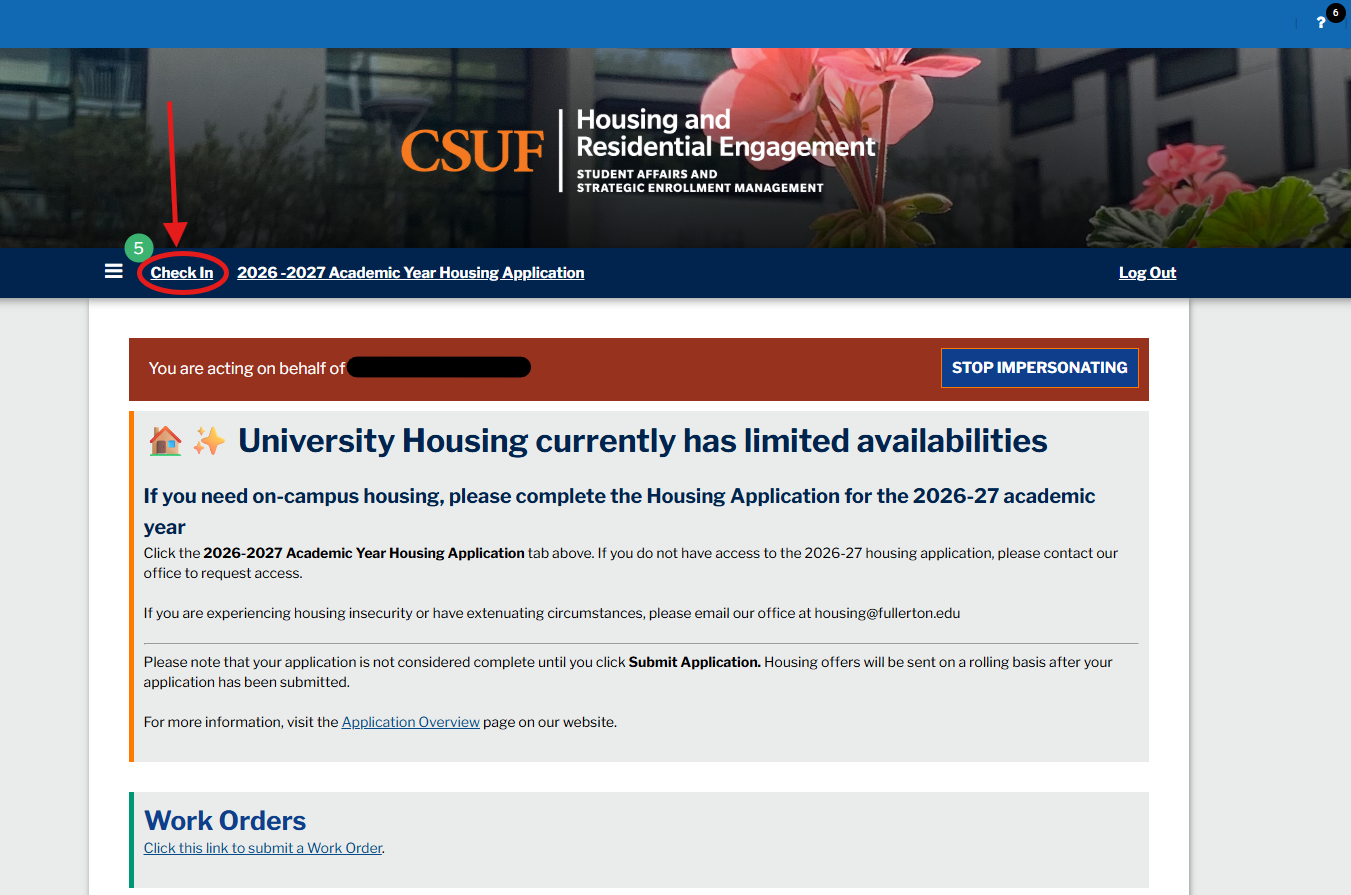
  • Click "Check In" on the top left corner of your navigation bar  

portal to check in

right col
 
 
left col

Step 2

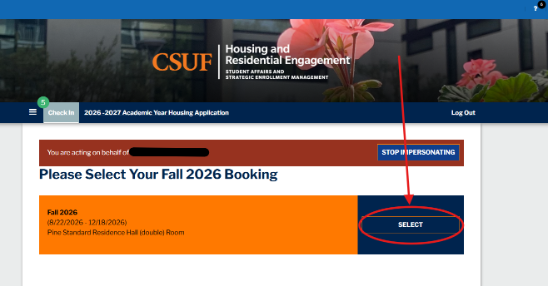
  • "Select" your Fall 2026 booking  

step two of self check in

right col
 
 
left col

Step 3

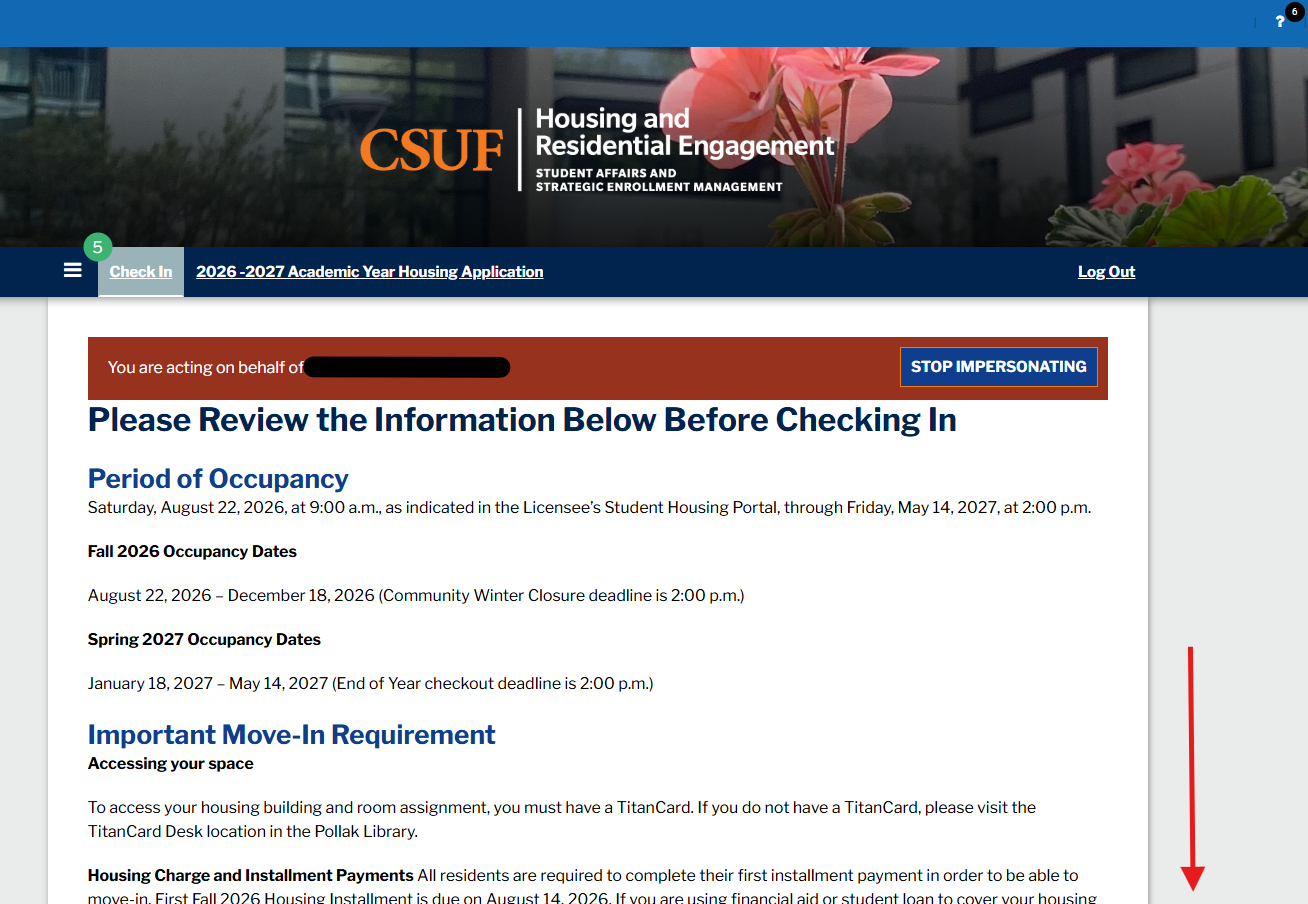
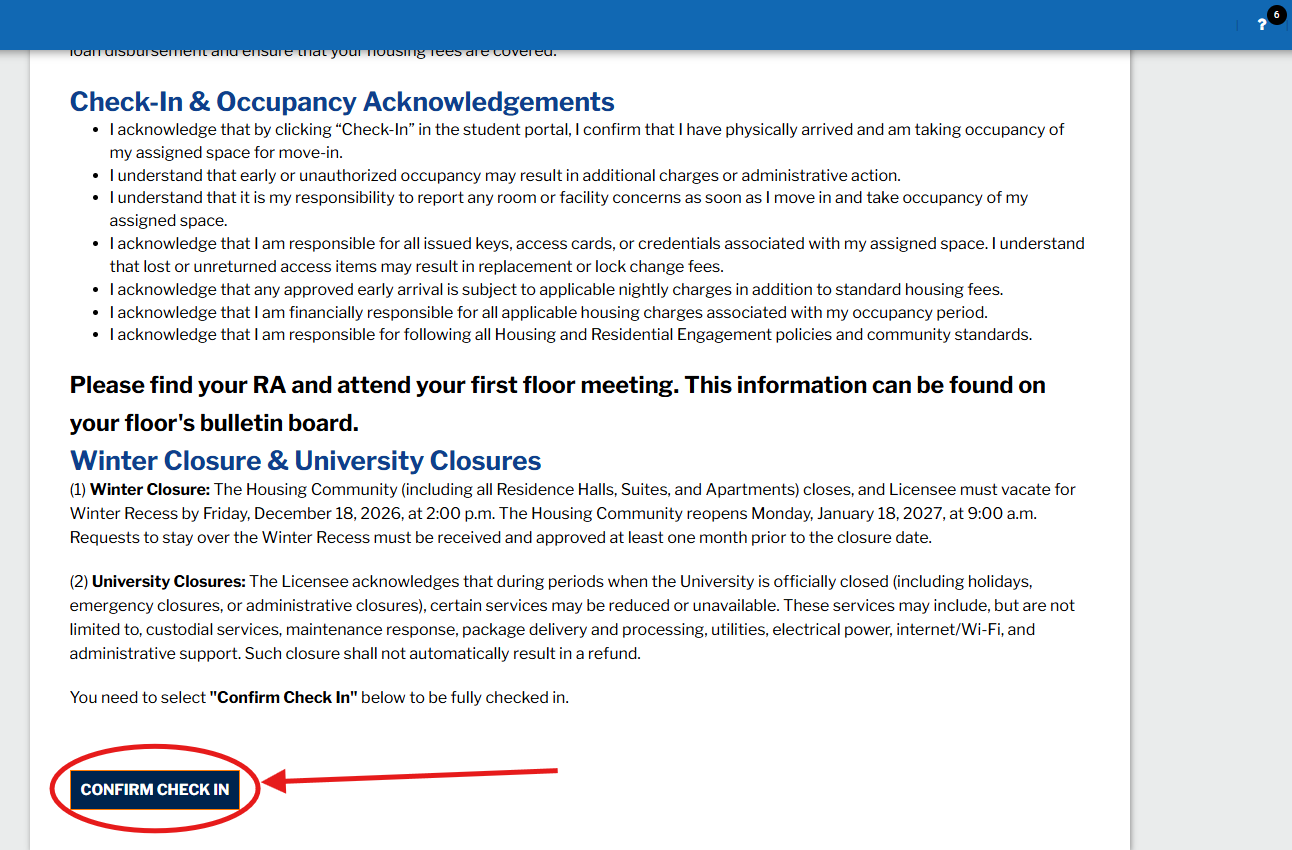
Scroll down and read the  important information  and click "Confirm Check In".  

steps to self check in

steps to self check in

right col
 
 
left col

Step 4

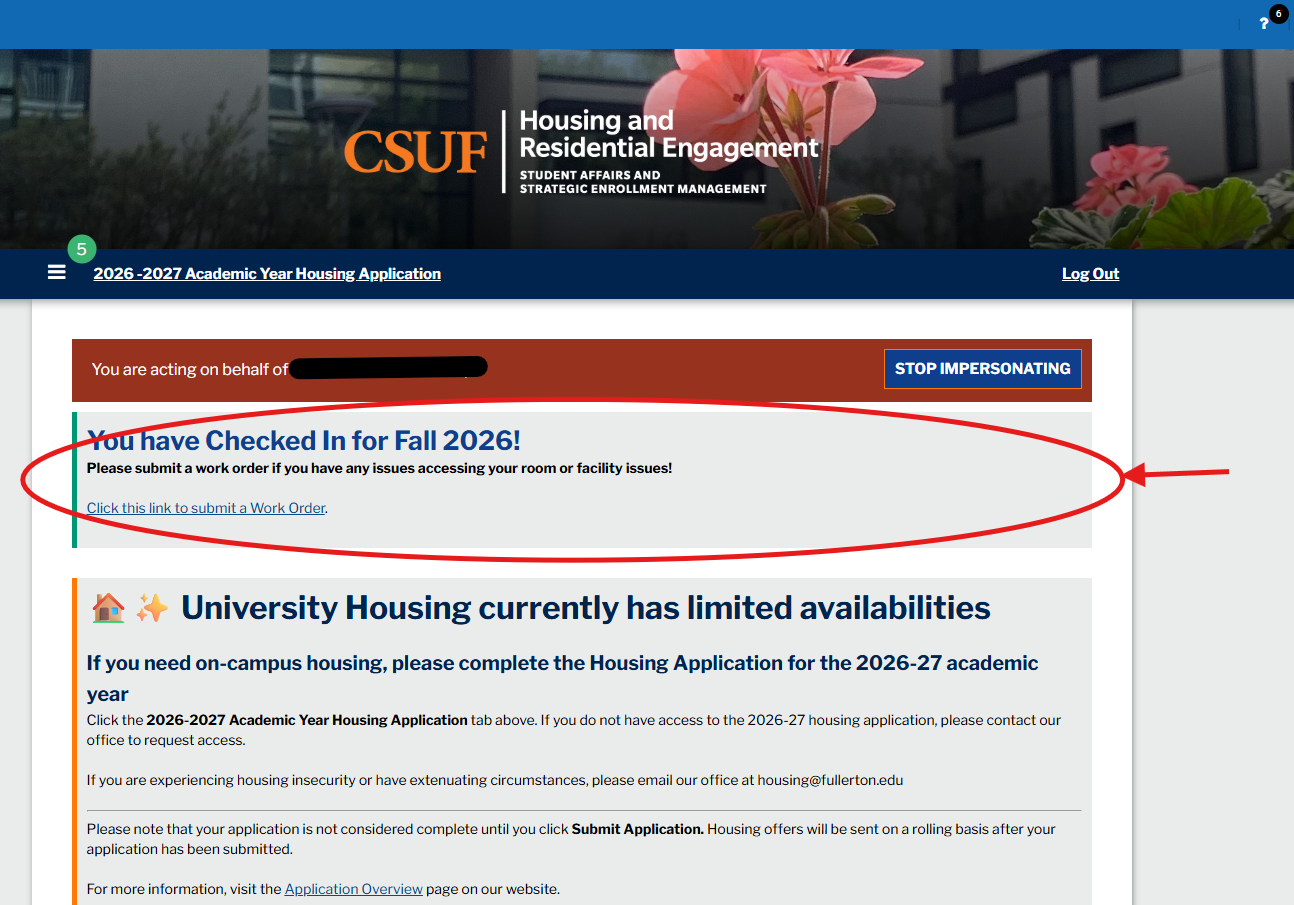
After confirming check in, student will be directed back to the Homepage of the portal and will see they completed check in process here .  

check in process on housing portal

right col
 
left col
right col